
In extreme cases, you may need to issue a refund to a prop's user. This process is straight-forward, and here are the steps to do it:
1. Log into TradeLocker back-office.
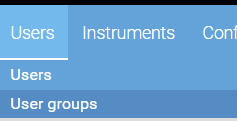
2. In the Users tab, select "Users".
3. In the Filter panel, find the user that you would like to issue the refund to. The easiest way to do that is by searching by Account ID or e-mail address.
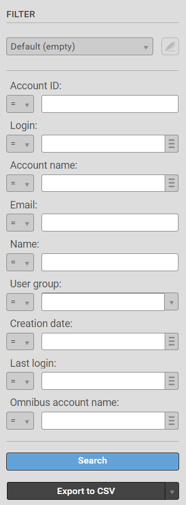
4. Once you find the user, click on their Login.
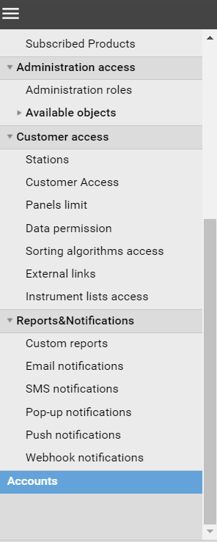
5. A pop-up window will show up. Scroll down to the bottom where you'll see "Accounts" and select that.
6. Click on the account name to which you want to issue the refund.
7. Select "Add account operation". Another window will pop up.
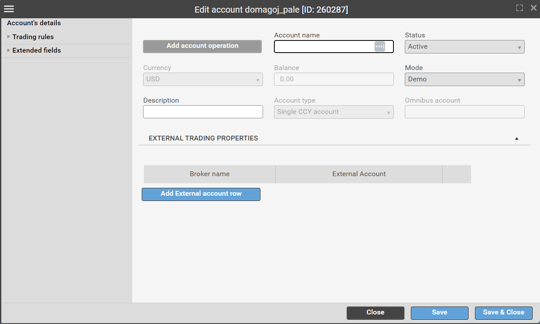
8. Fill in "Amount in users currency". Make sure to use the same currency as the user does.
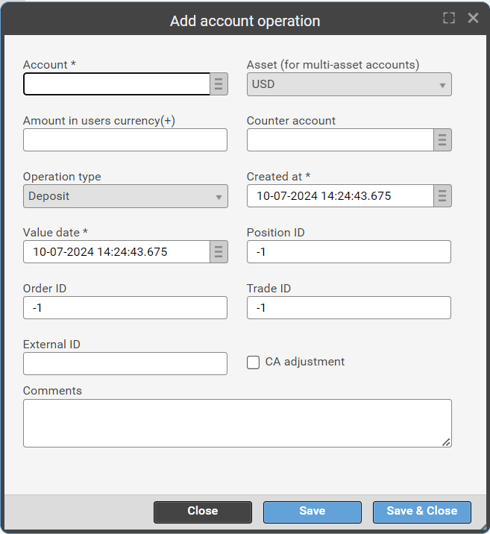
9. Click "Save & Close".